 Skip to content
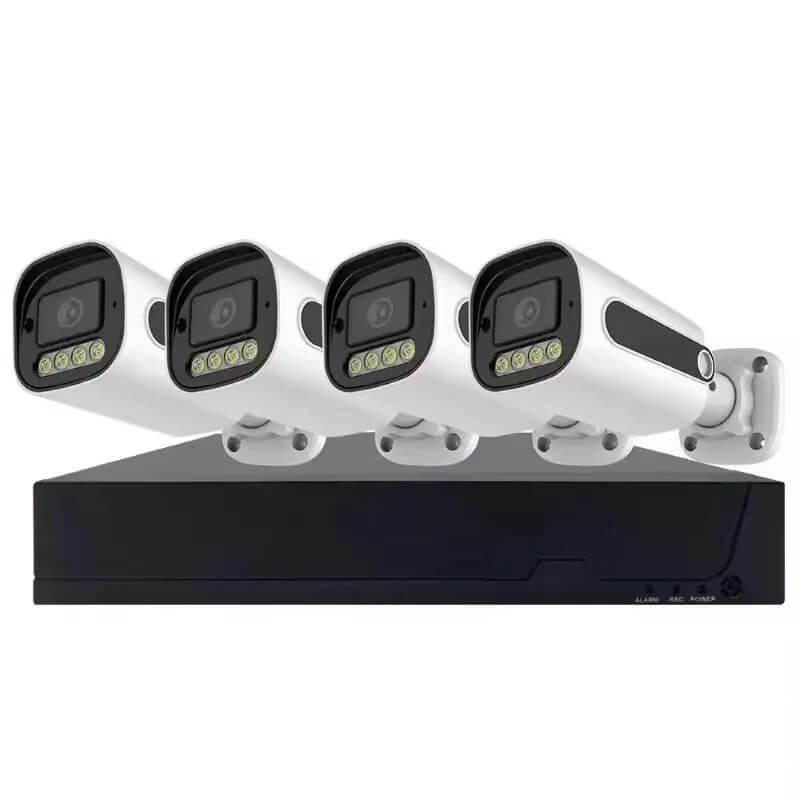
Choosing a security system can feel very confusing. You might wonder whether you need a DVR or an NVR. Both record video, but they work very differently. I will help you understand these systems so you can pick the right one for your home or business. Key Takeaways: DVRs use analog cameras (AHD, TVI, CVI) with coaxial cables and separate power, supporting 720p to 1080p resolution with basic motion detection—best for budget setups and reusing old cables. NVRs use IP cameras (PoE, Wi-Fi) with Ethernet cables, supporting 1080p to 4K resolution with AI people/vehicle detection and analytics—best for new installs, high detail, and smart features. A DVR processes analog signals from coaxial cables, while an NVR records digital video from IP cameras over a network. NVRs offer better video quality and smart features, but DVRs cost less and reuse old cables. Let us look closer at how these systems work. Your choice depends on your wiring, budget, and need for smart features.
What is a DVR and how does it work?
So, you’re standing at the crossroads of surveillance technology, trying to pick between a DVR and an NVR system. Don’t worry—I’ve helped plenty of folks navigate this exact dilemma, and the answer usually comes down to your specific situation rather than one being “better” than the other.
Let me break it down simply:
| Feature | DVR System | NVR System |
|---|---|---|
| Camera Type | Analog (coaxial) | IP (network) |
| Video Processing | At the recorder | At the camera |
| Cable Requirements | Separate power & video | Single PoE cable |
| Image Quality | Good (up to 4K) | Excellent (higher resolution) |
| Network Security | Closed system | Network-connected |
| Remote Access | Limited | Easy mobile access |
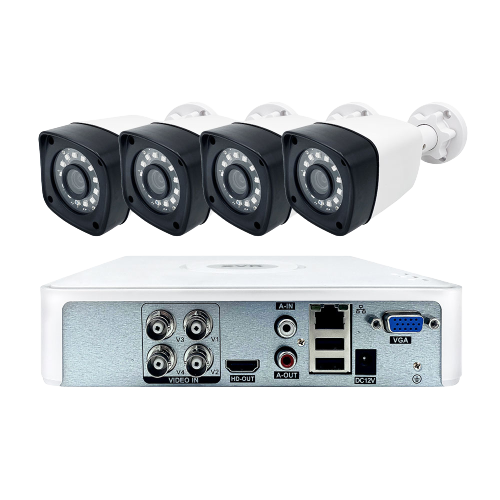
Here’s my honest take: Choose a DVR if you’re upgrading an older system and already have coaxial cables running through your walls. It’s cost-effective and keeps things simple. Companies like JER Technology offer robust analog solutions that work reliably for years.
Go with an NVR if you’re starting fresh or want higher resolution footage with easier installation. The PoE (Power over Ethernet) feature alone can save you hours of cable management headaches.
Still unsure? Consider your timeline and budget. DVRs shine for quick upgrades; NVRs excel for future-proof installations. And if you need personalized advice, you can always reach out to the JER team—they’ve seen every scenario imaginable.
Now, let’s dive deeper into how NVRs actually work, because understanding the “modern cousin” of the DVR will help solidify your decision.
What is an NVR and how does it work?
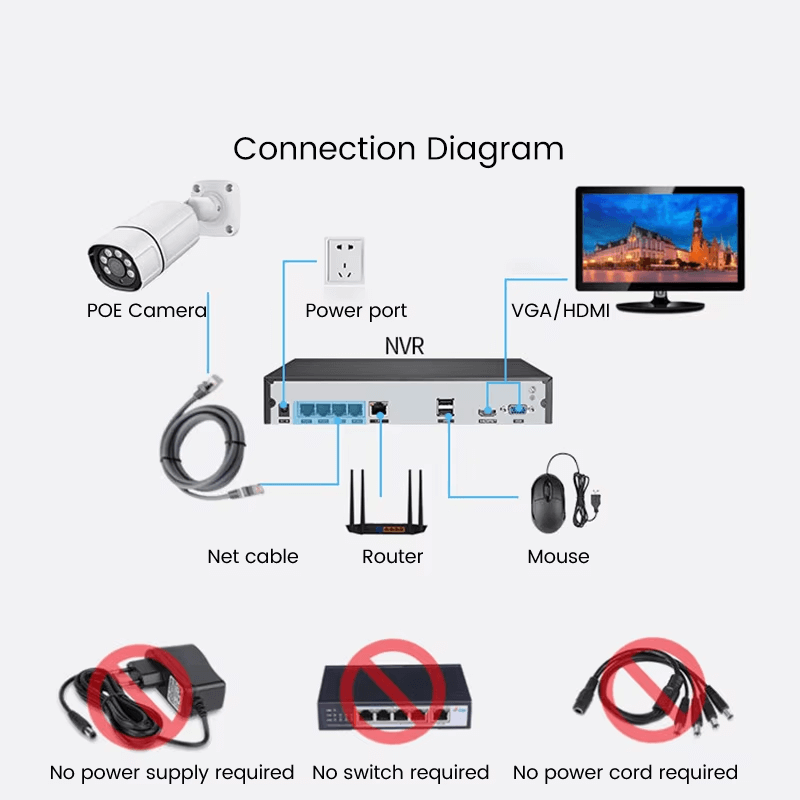
If the DVR is the reliable old truck of security systems, the Network Video Recorder (NVR) is the modern electric vehicle—sleek, efficient, and packed with smart features. An NVR records video from IP cameras over a computer network, but here’s the key difference: the cameras themselves process the video before sending it to the NVR for storage.
This distributed processing means you get cleaner, higher-quality footage. NVRs use standard Ethernet cables (Cat5e or Cat6) and support Power over Ethernet (PoE), which is honestly one of my favorite features. One cable handles both power and data—no more crawling through attics running separate power lines.
| NVR Advantage | Real-World Benefit |
|---|---|
| PoE Support | Single cable installation |
| Remote Access | View footage from anywhere |
| Higher Resolution | 4K+ camera support |
| Audio on All Cameras | Built-in microphones work instantly |
NVRs connect easily to the internet for remote viewing on your phone—perfect for business owners who travel. JER Technology offers excellent IP cameras and NVR kits that make setup surprisingly painless.
NVRs are ideal for new installations where you want higher resolution, easier cable management, and remote access capabilities. If you want to check your cameras from your beach vacation, this is your system. Questions about which fits your specific needs? Contact the JER team for personalized guidance.
Now, let’s get technical and examine the exact differences between these two systems side-by-side.
What are the key technical differences between DVR and NVR?
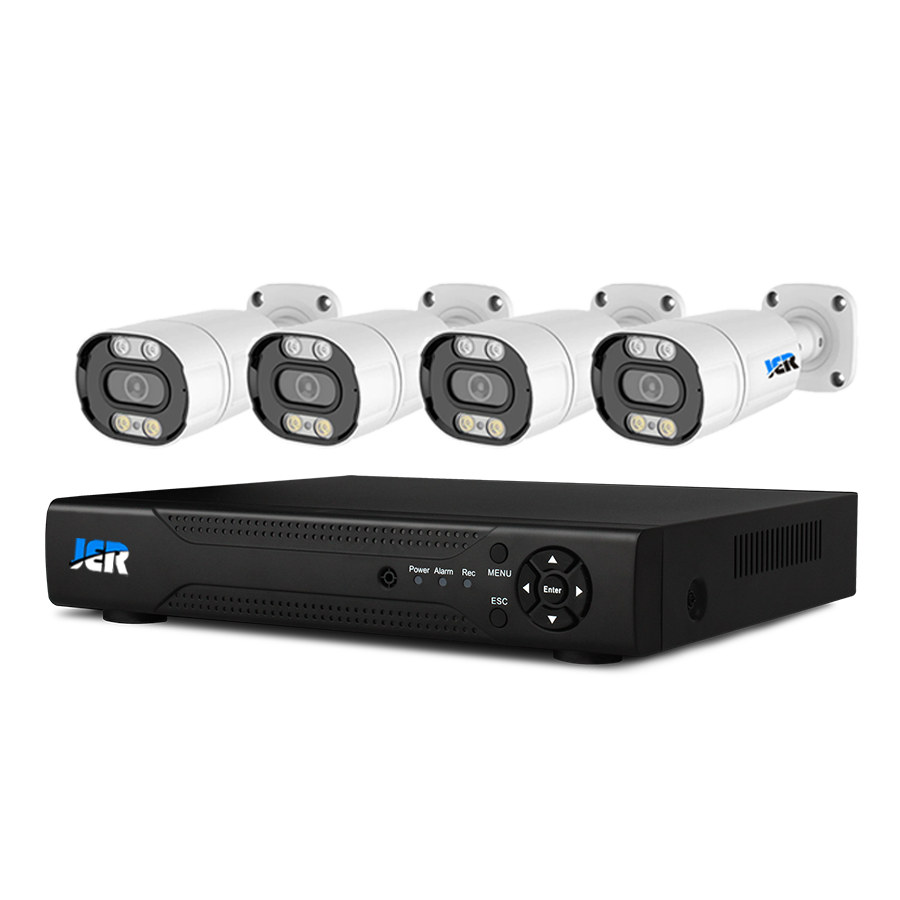
It’s easy to mix up DVR and NVR systems—they both record video, right? But under the hood, they handle video and connect to cameras in fundamentally different ways. Let me break down the exact technical specs so you can see what you’re really getting.
| Technical Feature | DVR System | NVR System |
|---|---|---|
| Camera Type | Analog | IP (Network) |
| Cable Type | Coaxial (RG59/RG6) | Ethernet (Cat5e/Cat6) |
| Audio Support | Limited inputs | Audio on every camera |
| Smart Features | Basic motion detection | AI: people detection, line crossing |
| Processing Location | At the recorder | At the camera |
DVRs have limited audio inputs—usually just one or two. NVRs, on the other hand, can record audio on every single IP camera. That’s a game-changer if you need to hear what’s happening, not just see it.
NVR systems also offer advanced AI features like people detection and line crossing alerts. DVRs typically stick with basic motion detection. Want both worlds? A hybrid system lets you mix analog and IP cameras. JER Technology supplies both DVR and NVR products, so you can build a mixed system from one reliable source.
Need help weighing these options? Contact the JER team—they’ll help you match the tech to your actual needs. Next, let’s talk video quality and what it really costs in storage space.

Which system offers better video quality and storage?
Let’s be honest—video quality is usually the biggest deciding factor. You want to see faces clearly, not blurry shapes that could be your mailman or a burglar. NVR systems win this round, supporting up to 4K resolution for dramatically sharper video. But here’s the catch: higher resolution means you need much more hard drive space.
| Resolution | Megapixels | Storage/Day (per camera) |
|---|---|---|
| 1080p (DVR max) | 2MP | ~22 GB |
| 5MP (DVR high) | 5MP | ~45 GB |
| 4K (NVR) | 8MP | ~86 GB |
Yes, you read that right—a single 4K camera can burn through 86.4 GB per day. That’s a lot of data! DVR systems typically cap out at 1080p or 5MP, while NVRs easily reach 4K. Thankfully, modern NVRs use H.265 compression to reduce file sizes significantly. JER Technology offers both AHD analog cameras and high-definition 4K IP cameras, so you can choose the exact resolution that fits your budget and storage limits.
Go with NVR if you need crystal-clear details for identification—license plates, faces, you name it. Just plan your storage accordingly. Questions about balancing quality and capacity? Contact the JER team for expert guidance. Next, let’s wrap this up with how to actually choose the right system for your specific situation.
How do you choose the right system for your needs?
Now comes the fun part—actually picking your system. Your choice boils down to three things: your budget, your building’s existing wiring, and your future plans.
| Your Situation | Best Choice | Why |
|---|---|---|
| Existing coaxial cables | DVR | Save money on rewiring |
| New construction | NVR | Easy scaling, future-proof |
| Tight upfront budget | DVR | Lower equipment costs |
| Need 4K or AI features | NVR | Superior video & smart tech |
| No internet needed | DVR | Closed network security |
Choose a DVR if you’re on a tight budget or your building already has coaxial cables running through the walls. Why rip out perfectly good wiring? Pick an NVR for new buildings, smart features, and crystal-clear 4K video. NVRs are easier to upgrade over time, which can actually save you money in the long run.
Also, consider who manufactures your equipment. Shenzhen JER Technology offers both DVR and NVR systems plus full OEM services—they can print your logo and customize software for your brand. With over 15 years of experience shipping to 50 countries, they’re a partner you can trust.
Your perfect system balances current wiring, budget, and future growth. Still torn between options? Contact the JER team for personalized recommendations that fit your exact situation.

Conclusions
Picking between a DVR and an NVR does not have to be hard. A DVR saves money on older setups, while an NVR gives you top video quality and smart features. I suggest looking at what you already have and where you want to be. Then, reach out to a trusted supplier like JER Technology to get exactly what you need.

 English
  Español
  Português
  العربية
  Русский
  Français
  日本語
日本語  Türkçe